Skills & Prompts
Guide to creating reusable skills, generating skills with AI, and reusing prompts from the prompt library in Cosmos
Updated 2026-11-03
Verified 2026-11-03
Overview
A skill bundles instructions with optional tools and knowledge bases into a reusable capability. Attach a skill to any agent to give it that capability without configuring everything again. Skills belong to your organization, are versioned, and follow the Draft → Deployed lifecycle.
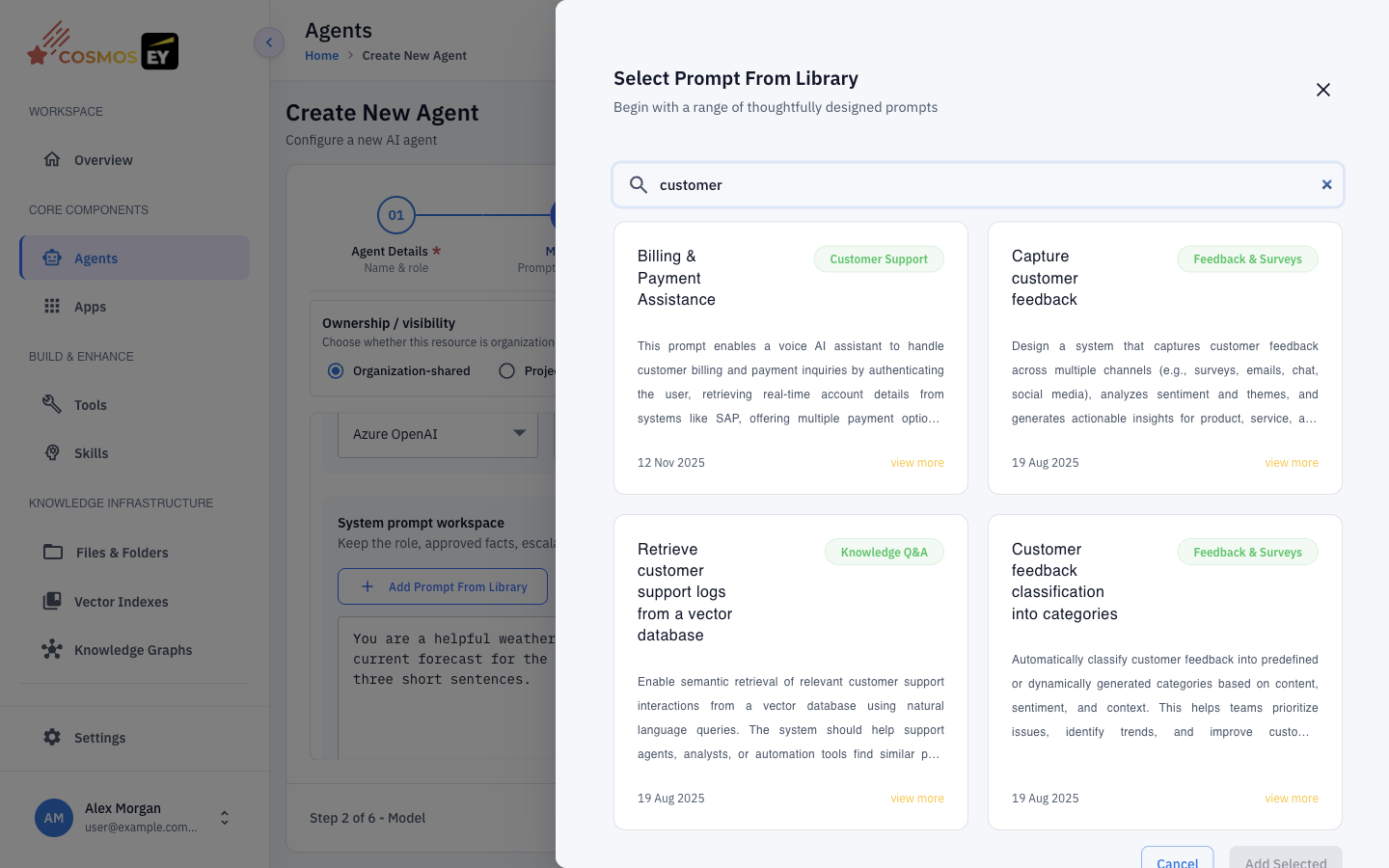
Saved prompts are available from the agent's Model step through Add Prompt From Library.
Finding Skills
In the sidebar, under Build & Enhance, click Skills. The page lists All Available Skills with filters for version status (All versions, Deployed, Draft).
Creating a Skill
- On the Skills page, click Create New and choose to create a skill manually. The Create New Skill wizard has two steps: Skill Details and Preview.
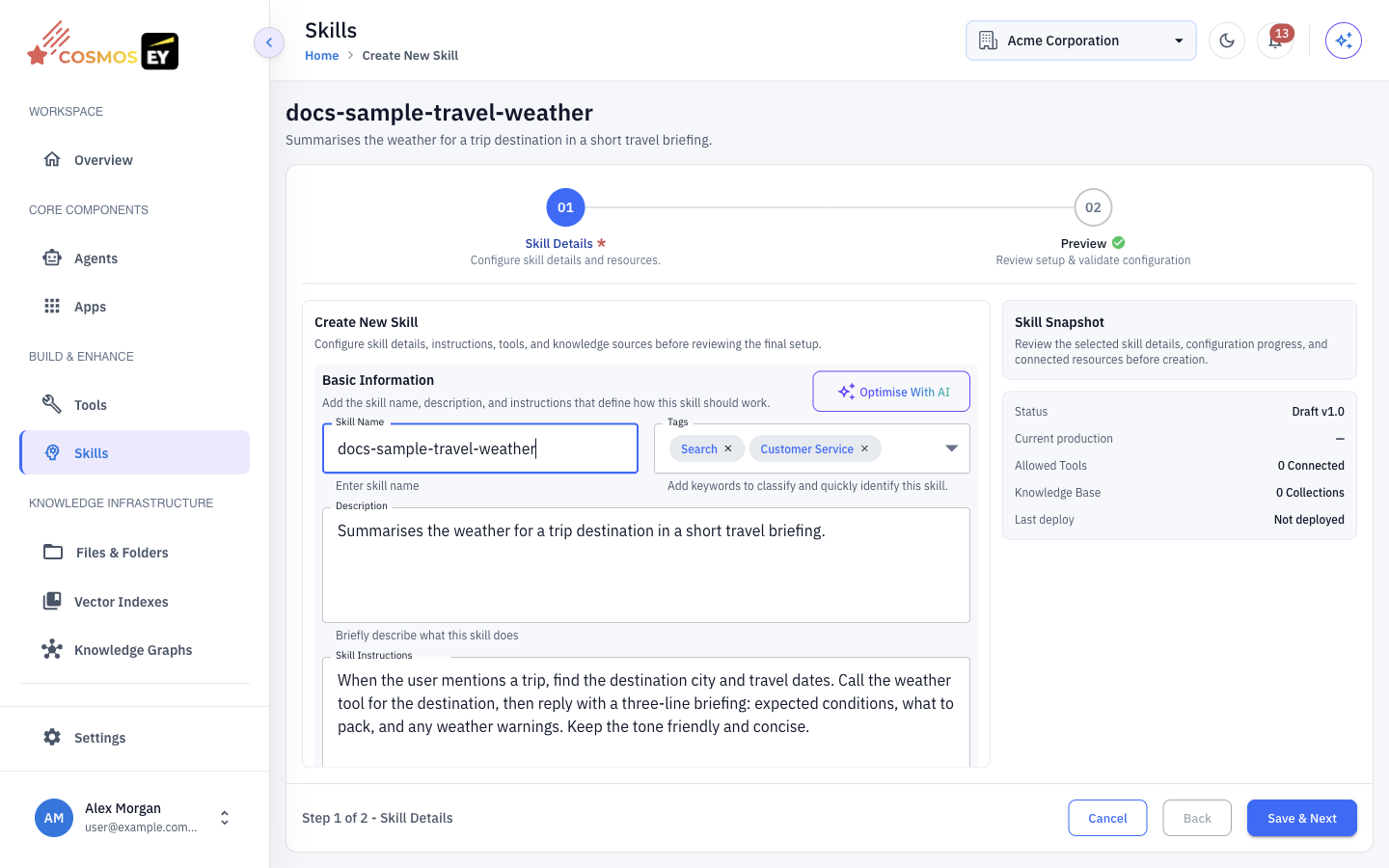
- Under Basic Information, fill in:
| Field | Description |
|---|---|
| Skill Name | A short, unique name in lowercase kebab-case, such as order-lookup. Use lowercase letters, numbers, and single hyphens, up to 64 characters. |
| Tags | Keywords that classify the skill and make it easy to find. |
| Description | A short summary of what the skill does. |
| Skill Instructions | How the skill should handle requests and present its output. This is what the agent receives when the skill is active. |
- Optionally click Optimise With AI to get an improved version of your instructions.
- Under Advanced Configuration:
- Add Tool — attach deployed tools the skill may call. Tools are optional; add only actions the skill can safely use.
- Add Knowledge Base — attach knowledge bases the skill can search.
- Review the skill on Preview and click Create Skill. The skill is saved as a draft.
- Deploy the skill so agents can use it.
Editing a deployed skill creates a new version. Use the version history on the skill's page to see earlier versions.
Generating Skills with AI
On the Skills page, click Create New and choose Generate with AI.
- Give the generator a starting point: describe the skills you want, paste an Agent Prompt, or pick an Agent and one of its Conversation sessions.
- Choose the Provider and Model to use, and click Generate Skills.
- Review the Generated Skills. Expand each one to read it, and click Add To Draft for the ones you want to keep.
- Open the drafts, adjust them, and deploy them.
Using Skills with Agents
- Open the agent with Edit and go to the Skills & tools step.
- Open Select Skills and choose one or more deployed skills.
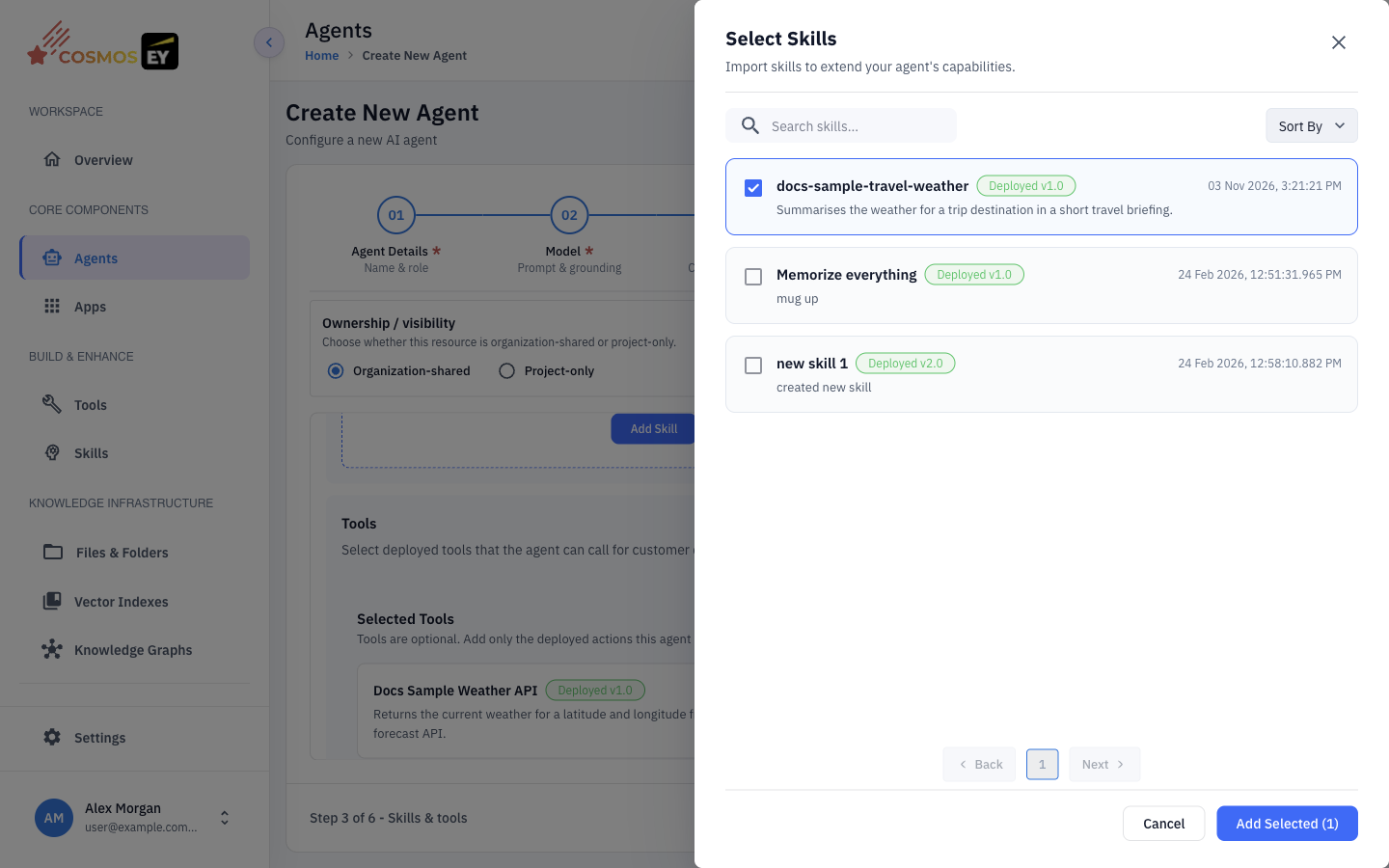
- Save the agent.
When the agent runs, the instructions, tools, and knowledge bases from each attached skill are added to its context, so you can compose complex behavior from small, reusable pieces.
Using the Prompt Library
In the agent's Model step, click Add Prompt From Library to insert a saved prompt into the System Prompt. Edit the inserted text to fit the agent.
Prompts can use placeholders such as {{company_name}}. Replace them with real values before you save the agent:
You are a {{role}} assistant for {{company_name}}.
becomes
You are a customer-support assistant for Acme Corp.
Best Practices
- Keep skills focused on one capability, such as "order-lookup" or "sentiment-analysis", rather than a whole persona.
- Use clear names and tags so teammates can find and reuse your skills.
- Deploy before assigning. Only deployed skills appear in Select Skills.
- Version intentionally. Review changes before you deploy a new version.
- Combine skills that complement each other instead of duplicating instructions.